

Top 10 ai tools for education
Top 10 ai tools for education AI Tools for Streamlined Lesson Planning and Engaging Content Creation
Top 10 ai tools for education
AI Tools for Streamlined Lesson Planning and
Engaging Content Creation
In today's rapidly evolving educational landscape, AI tools are transforming how educators plan lessons and create content. Among the top 10 AI tools for education, several stand out for their ability to streamline the teaching process while enhancing student engagement. Let's explore these game-changing solutions that are revolutionizing classrooms worldwide.
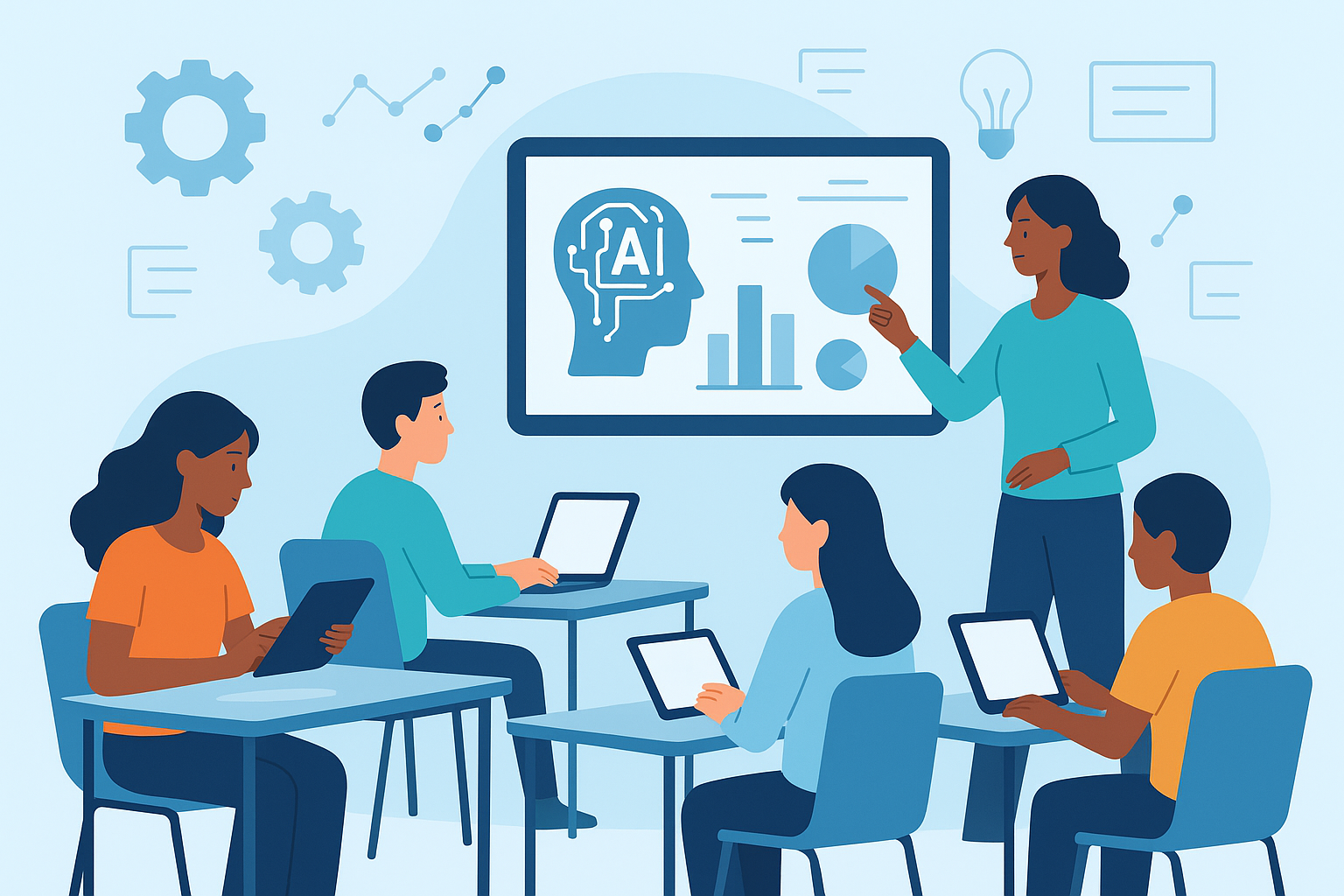
Education Copilot: Your AI-Powered Teaching Assistant
Education Copilot represents a breakthrough in teaching technology, functioning as a virtual assistant that dramatically reduces administrative workload while enhancing instructional quality. This AI-powered tool has quickly become an essential resource for educators seeking efficiency without sacrificing educational excellence.
At its core, Education Copilot excels at automating time-consuming tasks that typically consume teachers' valuable planning time. Teachers can generate comprehensive quizzes aligned with learning objectives in minutes rather than hours, allowing for more frequent assessment without the corresponding workload increase. Beyond simple quiz creation, the platform assists with crafting detailed school improvement plans, providing research-backed strategies tailored to specific institutional needs and challenges.
The grading assistance feature deserves special attention. Education Copilot doesn't just score assignments—it analyzes response patterns and provides constructive feedback specific to each student's work. For written assignments, it can evaluate content depth, logical flow, and even suggest areas for improvement while maintaining the teacher's ultimate control over final assessments.
Perhaps most impressively, Education Copilot shines in differentiated lesson planning:
"I can create three distinct learning paths for my mixed-ability classroom in less than ten minutes—something that used to take me hours," reports Jessica Ramirez, a middle school science teacher who participated in a recent educational technology survey.
The platform's reporting capabilities transform raw assessment data into actionable intelligence. Teachers receive detailed breakdowns of class and individual performance, highlighting knowledge gaps and misconception patterns. The system's predictive analytics can identify potentially at-risk students based on assessment trends, enabling early intervention before students fall significantly behind.
Powering these capabilities is sophisticated natural language processing technology that understands pedagogical strategies at a fundamental level. The AI doesn't simply template responses—it comprehends educational standards across subjects and grade levels, ensuring all generated content aligns with curriculum requirements. This deep integration of learning science principles means suggestions aren't generic but pedagogically sound.
The seamless Google Workspace integration provides particular value for schools already utilizing these tools. Teachers can track student progress through familiar interfaces, maintaining continuity in their digital ecosystem. Curriculum planning becomes more collaborative, with teams able to build upon AI-suggested frameworks while contributing their specialized expertise.
Education Copilot's adaptive learning support sets it apart from more basic educational tools. The platform offers contextually relevant prompts and resources precisely matched to curriculum objectives. Its multimedia capabilities generate interactive presentations that accommodate diverse learning preferences, whether students are visual, auditory, or kinesthetic learners.
Canva for Education: Intuitive AI Design for Visual Learning
Within the realm of top 10 AI tools for education, Canva for Education has established itself as the premier solution for creating visually compelling learning materials without requiring design expertise. This platform democratizes professional-quality content creation, giving educators powerful visual communication tools regardless of their technical background.
The heart of Canva's educational revolution is its Magic Design feature, powered by sophisticated AI algorithms. Teachers can transform text-heavy concepts into visually striking graphics that capture student attention and enhance information retention. By simply inputting content requirements, the system generates multiple design options incorporating research-backed visual learning principles.
"Before Canva, my presentations were text-heavy and uninspiring. Now, my students actually look forward to slides because they're visually engaging while still being educational," explains Michael Torres, a high school history teacher who discovered Canva through professional development workshops.
Canva's intuitive design platform eliminates the traditional learning curve associated with graphic design software. The drag-and-drop interface allows educators to manipulate elements effortlessly, while AI-powered suggestions help optimize layouts for maximum visual impact. Teachers can quickly produce materials that previously would have required professional designers or hours of self-taught skill development.
The extensive template library deserves particular recognition. With thousands of education-specific designs for everything from lesson plans to classroom posters, teachers can select professional frameworks tailored to their exact needs. These templates incorporate age-appropriate aesthetics and pedagogically sound information hierarchy, ensuring materials resonate with intended student audiences.
Canva's real-time collaboration features transform content creation from a solitary task into a collaborative opportunity. Teaching teams can simultaneously work on presentations, curriculum materials, or school communications. This capability proves especially valuable for cross-disciplinary projects, allowing subject matter experts to contribute simultaneously while maintaining design cohesion.
The platform's multimedia integration capabilities elevate learning materials beyond static content. Teachers can incorporate videos, audio clips, and interactive elements directly into their designs, creating multi-sensory learning experiences that address diverse learning preferences. This seamless integration means educators don't need multiple tools to create comprehensive instructional materials.
Particularly valuable for schools and districts is Canva's brand consistency functionality. Institutions can establish design systems with approved colors, fonts, and logo placements, ensuring all educational materials maintain professional consistency regardless of which teacher creates them. This feature elevates the perceived quality of educational communications while saving time through reusable design elements.
Synthesia: Bringing Lessons to Life with AI-Generated Video
Among the top 10 AI tools for education transforming content delivery, Synthesia stands out for its revolutionary approach to educational video production. This platform fundamentally reimagines how teachers create instructional videos, making high-quality content production accessible without specialized equipment or technical skills.
Synthesia's core innovation lies in its ability to generate lifelike AI avatars that deliver educational content with natural speech patterns and appropriate expressiveness. Teachers can simply prepare a lesson script, select from diverse avatar options, and watch as the system creates a professional-quality instructional video.
 This breakthrough eliminates traditional barriers like filming equipment, lighting setups, or video editing expertise.
The avatar customization capabilities provide remarkable flexibility. Educators can select from diverse presenters representing different ages, ethnicities, and presentation styles to best match their educational context and student demographics. This representation flexibility helps students see themselves reflected in learning materials, an important factor for engagement and motivation.
"I was initially skeptical about AI-generated videos, but my students responded incredibly well. They appreciate the consistency and clarity, plus I can create content for days I'm absent that still feels like I'm teaching them directly," notes elementary teacher Sophia Washington, who shared her experience implementing Synthesia in her classroom.
The voice narration quality represents significant technological advancement. Rather than robotically synthesized speech, Synthesia incorporates human-like intonation, appropriate pausing, and natural emphasis patterns. Teachers can adjust speaking pace to accommodate different student needs or subject complexity, ensuring optimal comprehension without sacrificing engagement.
Background and setting customization further enhance the viewing experience. Educators can select virtual environments that complement their lesson content—from classroom settings to historical locations or scientific laboratories. This contextual staging helps establish appropriate learning atmospheres and reinforces subject-specific visual cues.
The platform's gesture and camera angle features add professional production value previously unattainable for most teachers. AI avatars utilize natural hand movements and body language that reinforce key concepts, while dynamic camera framing maintains visual interest throughout presentations. These subtle production elements significantly impact student attention spans and information retention.
Perhaps most transformative is how Synthesia facilitates asynchronous learning. Teachers can create comprehensive video libraries covering core curriculum concepts, remedial support, and enrichment content. Students gain access to consistent, high-quality instruction for self-paced learning, review, or catching up after absences. This flexibility supports diverse learning needs without multiplying teacher workload.
Parlay: Interactive Video Lessons Aligned with Standards
Completing our exploration of content creation tools within the top 10 AI tools for education is Parlay, an innovative platform specifically designed to transform static curriculum standards into dynamic video-based learning experiences. Parlay addresses a critical educational challenge—ensuring engaging lesson content maintains full alignment with required academic standards.
Parlay's standout feature is its direct integration with major textbook publishers and state curriculum frameworks. This alignment capability means teachers can quickly generate video lessons that precisely match required learning objectives, saving countless hours previously spent manually mapping content to standards. The system automatically tags content with relevant standards, allowing for comprehensive curriculum coverage tracking.
"Parlay transformed how I implement our district's required curriculum. I can now create lessons that fulfill all mandated standards while keeping students genuinely interested in the material," explains middle school English teacher James Chen, who participated in a case study on AI-enhanced curriculum delivery.
The platform's template-based lesson creation system deserves particular recognition. Teachers can select from pedagogically sound frameworks designed for different instructional approaches—from direct instruction to inquiry-based learning. These templates incorporate best practices for student engagement while maintaining clear learning objective focus, ensuring both educational effectiveness and student interest.
Parlay's drag-and-drop media integration simplifies incorporating diverse content types into lessons. Educators can seamlessly add video clips, images, interactive diagrams, and text elements without technical expertise. This multimedia approach addresses different learning modalities while maintaining cohesive lesson structure, enhancing comprehension for all students regardless of preferred learning style.
The AI-powered personalization capabilities set Parlay apart from more basic content creation tools. The system automatically adjusts supporting materials based on individual student needs—providing additional explanations for challenging concepts, offering simpler language for English language learners, or incorporating more advanced connections for accelerated learners. This differentiation happens seamlessly within the same base lesson.
Difficulty level adaptation represents another significant AI application. Parlay analyzes student interactions with lesson content and dynamically adjusts complexity to maintain appropriate challenge levels. This prevents both frustration from excessive difficulty and disengagement from material that's too simple, keeping students in the optimal learning zone.
The standards alignment verification feature provides teachers with confidence that their creative lesson approaches still fulfill curriculum requirements. The system highlights potential gaps in standards coverage, suggesting additions or modifications to ensure comprehensive implementation of required learning objectives. This quality control function proves particularly valuable during evaluation cycles and accreditation reviews.
Parlay's assessment automation capabilities round out its comprehensive functionality. The platform generates formative checks throughout lessons and summative assessments upon completion, with questions specifically mapped to standards covered in the content. These assessments provide immediate feedback to both students and teachers, enabling timely intervention for learning gaps.
Perhaps most transformatively, Parlay breathes new life into static textbook content. Teachers can transform traditional text materials into interactive video sequences that maintain the original learning objectives while dramatically increasing engagement. This capability extends the lifespan and effectiveness of existing curriculum investments while meeting modern students' expectations for dynamic content.
In educational contexts increasingly focused on both engagement and accountability, Parlay offers a compelling solution that bridges these sometimes competing priorities. By ensuring standards alignment while enabling creative, multimedia-rich lesson design, the platform empowers teachers to fulfill curriculum requirements without sacrificing the dynamic instruction that captures student attention.
As educational institutions continue adopting the top 10 AI tools for education, platforms like Education Copilot, Canva for Education, Synthesia, and Parlay demonstrate how artificial intelligence can simultaneously reduce teacher workload and enhance instructional quality. These tools empower educators to create more engaging, personalized learning experiences while maintaining alignment with educational standards and objectives.
AI-Powered Tools for Efficient Assessment and Personalized Feedback
In the rapidly evolving landscape of educational technology, assessment and feedback remain critical components of effective teaching and learning. Among the top 10 AI tools for education, several standout platforms are transforming how educators evaluate student work and provide meaningful feedback. These innovative solutions not only save valuable time but also deliver deeper insights into student understanding, allowing for truly personalized learning experiences.
Gradescope: Automating the Grading Process
Grading has traditionally been one of the most time-consuming aspects of teaching, often preventing educators from focusing on what truly matters: helping students learn. Gradescope changes this equation dramatically with its powerful AI capabilities.
This revolutionary platform functions as a comprehensive grading assistant that transforms how educators approach assessment. By leveraging sophisticated AI technology, Gradescope enables teachers to evaluate student work with unprecedented speed and accuracy while gaining valuable insights that would be nearly impossible to gather manually.
The process begins simply enough. Teachers scan physical papers or upload digital assignments directly to the platform. What happens next showcases the true power of AI in education. Gradescope's advanced computer vision algorithms analyze each submission, accurately interpreting student responses—even when they're handwritten. This capability alone eliminates hours of deciphering student handwriting, allowing teachers to focus on the actual content of responses.
What truly sets Gradescope apart is its ability to learn from each grading session. As teachers evaluate initial submissions, the system begins to recognize patterns and apply consistent grading criteria across all student work. For multiple-choice assessments, the AI can automatically mark correct and incorrect responses. For open-ended questions, it groups similar answers together, allowing teachers to evaluate comparable responses simultaneously rather than reviewing each submission individually.
The machine learning capabilities extend beyond simple grading. Gradescope analyzes response patterns to identify common misconceptions across the class. For instance, if 40% of students misapplied a scientific principle in a similar way, the system flags this trend, providing teachers with actionable intelligence about specific concepts that require reteaching or clarification.
Perhaps most impressively, research indicates Gradescope can reduce grading time by up to 90%.
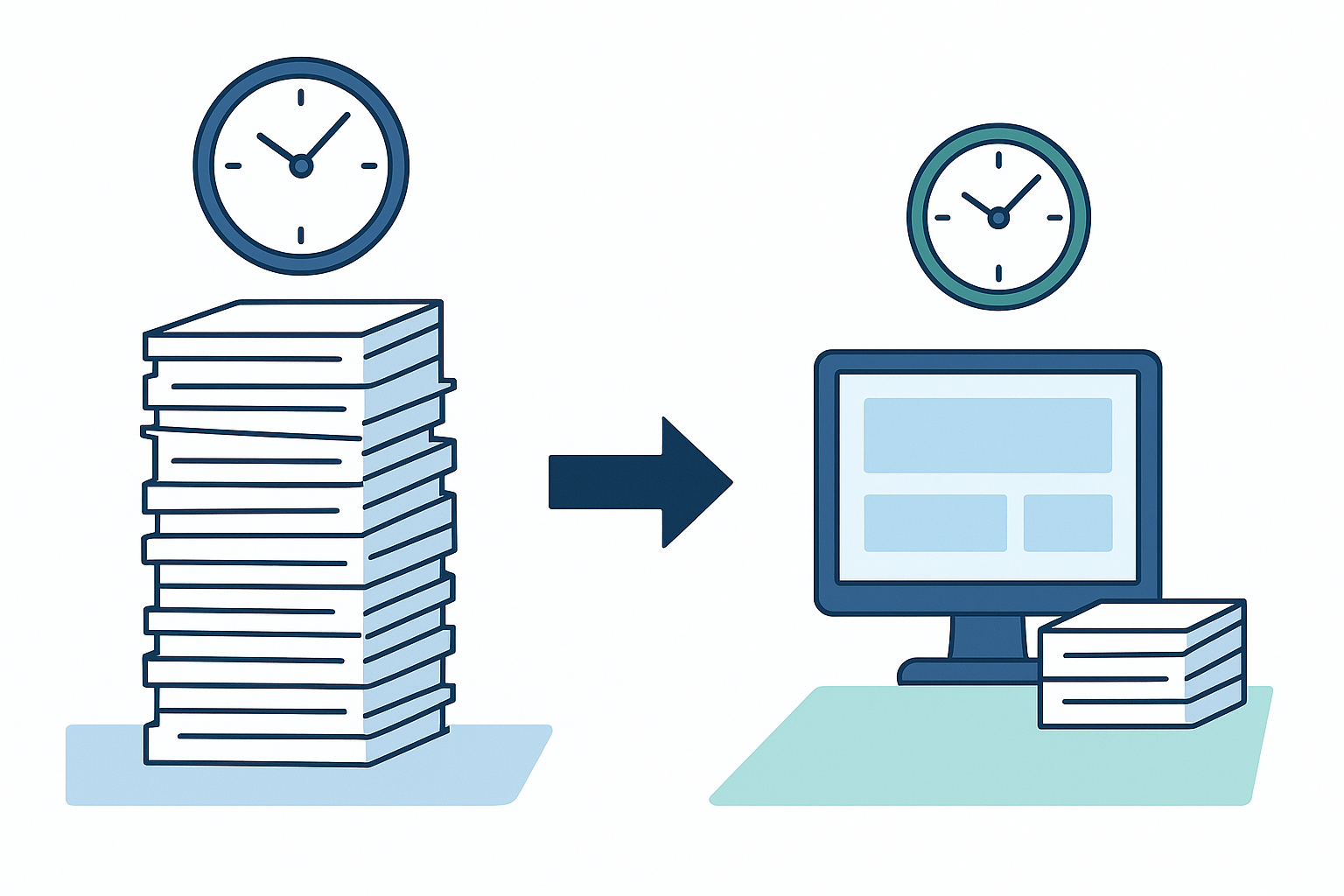 This dramatic efficiency gain transforms what teachers can accomplish with their limited time. Instead of spending evenings and weekends marking papers, educators can dedicate more energy to developing targeted interventions, creating differentiated lesson plans, or providing one-on-one support to struggling students.
The platform also enhances assessment transparency. Students receive detailed feedback that clearly explains where and why points were deducted, along with specific guidance on improving future work. This clarity helps students take ownership of their learning journey and understand exactly what they need to do to progress.
For educators managing large classes or multiple course sections, Gradescope's analytics provide comprehensive insights into overall class performance, highlighting topics that might require additional instruction and identifying students who need extra support before they fall too far behind.
Quizizz: Engaging Assessments with Game-Based Learning
Traditional assessments often induce anxiety and disengagement among students. Quizizz reimagines this experience by transforming evaluations into interactive, game-like activities that students actually look forward to completing.
This innovative platform stands out among the top 10 AI tools for education by seamlessly blending assessment with entertainment. Rather than viewing quizzes as stressful evaluations, students experience them as engaging competitions where learning happens organically through play.
Quizizz accomplishes this transformation through several key features. The platform incorporates game mechanics like leaderboards, points, power-ups, and timers to create a sense of friendly competition. Students can select personalized avatars to represent themselves in the game, adding another layer of engagement and ownership.
What makes Quizizz particularly valuable is how it balances fun with serious learning analytics.
 Behind the colorful interface lies a sophisticated AI system tracking every response. The platform generates comprehensive reports that break down performance by question, topic, and student. These insights allow teachers to identify knowledge gaps with pinpoint accuracy, determining exactly which concepts need reinforcement and which students require additional support.
The platform's flexibility is another significant advantage. Teachers can create assessments from scratch or choose from over 30 million ready-made quizzes covering virtually every subject and grade level. This vast content library saves countless preparation hours while ensuring high-quality assessment materials. The AI-powered recommendation system suggests relevant quizzes based on class demographics and previous performance patterns.
Quizizz enhances student engagement through several unique features. The platform automatically inserts humorous memes after questions—showing entertaining images for correct answers and gentle encouragement for mistakes. Background music creates an atmosphere of excitement, while customizable settings allow teachers to adjust timing and competition elements to suit their classroom needs.
Teachers can deploy Quizizz in multiple formats—live during class for immediate feedback, as homework assignments, or as self-paced review activities. This versatility makes it suitable for various instructional scenarios, from introducing new material to reinforcing concepts before exams.
The platform's reports go beyond simple right/wrong tallies. The AI analyzes response patterns to identify not just which questions students missed, but why they might have made specific errors. These insights help teachers address the root causes of misunderstandings rather than just treating the symptoms.
Many educators report that Quizizz significantly increases participation rates compared to traditional assessments. Students who rarely volunteered answers in class often become actively engaged when assessment feels like play rather than evaluation. This increased participation provides teachers with a more accurate picture of overall class understanding.
TutorMe: On-Demand Personalized Tutoring
Even the most dedicated teachers can't always provide the individualized attention every student needs. TutorMe addresses this challenge by connecting students with qualified tutors through an AI-powered matching system, delivering personalized learning support precisely when it's needed.
This innovative platform operates at the intersection of human expertise and artificial intelligence. While the actual tutoring comes from qualified human educators, the system that connects students with the right mentors relies on sophisticated AI algorithms that consider numerous factors to create optimal learning partnerships.
When students require assistance, they can access TutorMe any time of day or night, eliminating the waiting period that often causes students to abandon challenging assignments. This immediate availability ensures learning momentum isn't lost when obstacles arise. Within seconds, the platform's AI analyzes the student's academic profile, learning preferences, and specific question to identify the most suitable tutor from its extensive network of certified educators.
The matching algorithm evaluates numerous variables beyond subject matter expertise. It considers teaching style compatibility, previous session feedback, communication preferences, and even personality factors that might impact rapport. This multidimensional approach creates learning partnerships that address both academic and interpersonal elements of effective tutoring.
TutorMe's virtual classroom environment includes several AI-enhanced features. The interactive whiteboard allows for real-time problem-solving with smart recognition of mathematical notation and scientific symbols. The text editor provides instant grammar and style suggestions for writing assignments. Screen sharing capabilities enable tutors to guide students through complex software or research processes with annotation tools highlighting key elements.
What truly distinguishes TutorMe from traditional tutoring models is its feedback loop. During each session, the AI continuously monitors interaction patterns, document sharing, and even voice tone (with permission) to gauge student engagement and comprehension. This real-time analysis allows tutors to adjust their approach immediately if the student appears confused or disengaged.
After each session, students receive an AI-generated summary of key concepts covered, recommended practice exercises, and suggested resources for further exploration. This documentation ensures the learning extends beyond the session itself and becomes integrated into the student's broader educational experience.
The platform offers flexible pricing options ranging from $1 to $100 per hour, depending on tutor qualifications and specialization. This sliding scale makes personalized education support accessible to a wider range of students than traditional tutoring centers typically serve.
For schools and districts, TutorMe offers institutional partnerships that integrate with existing learning management systems and provide detailed analytics on usage patterns, common challenge areas, and student progress. These insights help administrators identify curriculum gaps and allocate resources to address systemic learning needs.
Disco: Generative AI LMS for Academy Operations
While many educational platforms focus on specific aspects of teaching and learning, Disco takes a comprehensive approach by reimagining the entire learning management system through the lens of generative AI. This innovative platform streamlines academy operations while creating highly personalized learning experiences.
Disco represents a significant evolution in educational technology by integrating an advanced learning management system with generative AI capabilities. Unlike traditional LMS platforms that primarily organize content and track completion, Disco actively participates in content creation, student engagement, and administrative workflows.
At the heart of Disco lies its remarkable curriculum generator. Educators begin by outlining basic course parameters—subject area, learning objectives, target audience, and desired outcomes. The AI then produces a comprehensive curriculum framework within minutes, complete with sequential lessons, knowledge checkpoints, discussion prompts, and assessment strategies. What would typically require weeks of planning happens almost instantly, allowing educators to focus on refining and personalizing content rather than building frameworks from scratch.
The generated curriculum isn't limited to text-based content. Disco creates diverse multimedia elements including infographics explaining complex concepts, interactive quizzes with adaptive difficulty levels, and visually engaging presentation slides. This multimodal approach ensures content appeals to different learning preferences and maintains student engagement throughout the course.
Administrative efficiency represents another significant advantage of Disco's AI integration. The platform automates routine tasks like enrollment management, progress tracking, certificate generation, and cohort communications. When questions arise about assignments or course logistics, the AI assistant can provide immediate responses to common queries, freeing instructors to focus on more complex student needs.
Disco's approach to personalization goes beyond simple content recommendations. The platform analyzes each learner's interaction patterns—noting which content formats engage them, which concepts require multiple revisits, and which learning pace produces optimal results. Based on these insights, Disco adjusts content presentation, difficulty progression, and even communication style to match individual preferences.
The platform's engagement features are particularly innovative. Rather than relying solely on completion requirements to motivate learners, Disco employs AI-driven "nudges" that arrive at psychologically optimal moments. These personalized prompts might highlight an interesting discussion that aligns with a student's expressed interests, celebrate progress milestones with specific encouragement, or suggest manageable next steps when engagement metrics indicate potential disengagement.
For course creators and instructional designers, Disco offers significant time savings through its content enhancement capabilities. The AI can expand brief concept outlines into comprehensive lesson materials, suggest relevant examples that connect abstract concepts to real-world applications, and even generate case studies that demonstrate practical implementations of theoretical knowledge.
Discussion facilitation represents another area where Disco's AI capabilities shine. The system monitors conversation threads, identifying unanswered questions that instructors should address, highlighting particularly insightful student contributions that deserve recognition, and suggesting discussion prompts when conversations stall. This facilitation ensures learning communities remain vibrant and productive without requiring constant instructor intervention.
Assessment within Disco extends beyond traditional quizzes and tests. The platform employs multimodal evaluation methods including natural language processing to analyze written reflections, project evaluation rubrics with specific feedback on different competency dimensions, and peer assessment workflows with AI-guided review criteria. This comprehensive approach provides a more nuanced understanding of learner progress than simple completion metrics or multiple-choice assessments.
The continuous improvement aspect of Disco deserves special mention. The platform doesn't simply execute predefined functions; it learns from every cohort's experience. Content sections that consistently generate confusion are automatically flagged for review. Learning activities that produce exceptional engagement become templates for future content development. This iterative refinement ensures educational experiences improve with each implementation.
The AI-powered assessment and feedback tools highlighted above represent some of the most innovative solutions in today's educational technology landscape. As part of the top 10 AI tools for education, these platforms demonstrate how artificial intelligence can transform traditional educational challenges into opportunities for enhanced learning experiences.
By automating routine aspects of grading, creating engaging assessment formats, providing on-demand tutoring support, and reimagining learning management systems, these tools free educators to focus on what matters most: meaningful interactions with students and personalized instruction that addresses individual learning needs.
As AI technology continues to evolve, we can expect even more sophisticated tools that further enhance assessment accuracy, feedback quality, and personalization capabilities. The future of education lies in this balanced partnership between human educators and AI assistants, each contributing their unique strengths to create optimal learning environments for all students.
Learn more about cutting-edge educational AI tools and discover how AI is transforming academy operations to better support both educators and learners in today's digital learning landscape.
AI for Enhanced Writing, Research, and Content Organization
ChatGPT: Versatile AI Education Assistant
Among the top 10 AI tools for education, ChatGPT stands out as an exceptionally versatile assistant that's transforming how educators and students approach learning. This powerful language model offers capabilities that extend far beyond simple text generation, making it an indispensable resource in modern classrooms.
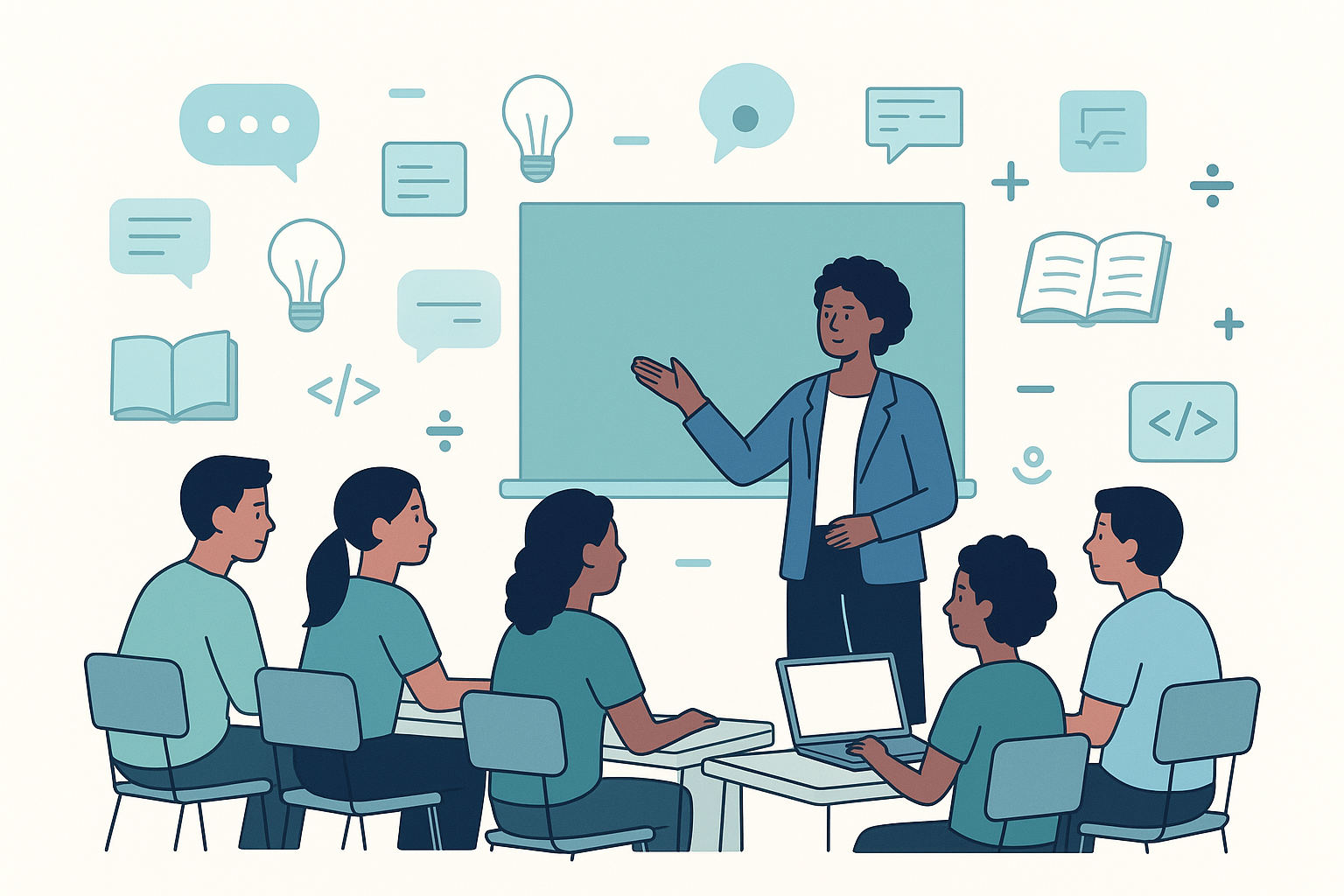
Teachers are increasingly using ChatGPT to generate customized content for their lessons. Need a creative writing prompt for middle schoolers? A simplified explanation of photosynthesis? A historical scenario for a role-playing activity? ChatGPT can produce these materials in seconds, tailored to specific grade levels and learning objectives.
The tool's brainstorming capabilities have proven invaluable for both educators and students. Teachers can quickly generate lists of project ideas, discussion questions, or activity options by simply describing their learning goals. Students struggling with writer's block or project planning can use ChatGPT to explore possibilities and jumpstart their creative thinking.
When it comes to problem-solving, ChatGPT offers step-by-step guidance across various subjects. Math teachers have found it particularly helpful for creating worked examples that show different approaches to solving equations. Science educators use it to walk through experimental procedures or explain the reasoning behind natural phenomena.
The coding assistance feature has revolutionized computer science education, allowing teachers to:
- Generate code examples in multiple programming languages
- Debug student code with explanations of errors
- Create coding challenges of varying difficulty levels
- Explain programming concepts in accessible language
Research tasks that once took hours can now be completed in minutes. ChatGPT helps students learn effective research strategies by demonstrating how to break down complex topics, find reliable sources, and synthesize information. Teachers can use it to quickly gather background information on new curriculum topics or stay updated on the latest educational research.
What truly sets ChatGPT apart is its ability to explain academic concepts with remarkable clarity. It can adjust explanations based on a student's grade level, prior knowledge, or learning style. A high school physics concept can be explained using appropriate technical vocabulary or simplified with everyday analogies for struggling learners.
For time-strapped educators, ChatGPT excels at summarizing lessons. Teachers can input lengthy reading materials or lecture notes and receive concise summaries highlighting key points. This feature also helps students practice identifying main ideas and supporting details.
The writing feedback capabilities make ChatGPT an around-the-clock writing tutor. It can review student essays, suggesting improvements for clarity, organization, and style. Unlike basic grammar checkers, ChatGPT provides context-sensitive feedback that helps students understand not just what to fix, but why the changes improve their writing.
Assessment creation becomes effortless with ChatGPT's ability to generate quiz questions across knowledge levels. From basic recall questions to complex scenarios requiring critical thinking, teachers can quickly build comprehensive assessments aligned with their learning objectives.
Classroom engagement reaches new heights when teachers use ChatGPT to create visual aids and interactive activities. The tool can design concept maps, generate scripts for role-playing exercises, or create personalized learning games that target specific skills.
Perhaps most importantly, ChatGPT boosts teacher productivity by handling time-consuming tasks:
- Drafting parent communications
- Creating differentiated worksheets
- Developing remediation plans for struggling students
- Generating enrichment activities for advanced learners
- Translating instructions for multilingual classrooms
With knowledge drawn from over 200 billion web documents, ChatGPT offers impressive accuracy across subject areas. However, educators should still review its outputs, as occasional errors or outdated information may appear. Many teachers use this as an opportunity to model critical evaluation of information sources for their students.
Educational AI implementation research shows that ChatGPT is most effective when used as a collaborative tool rather than a replacement for human instruction. The most successful educators treat it as a teaching assistant that handles routine tasks, freeing them to focus on the human connections and personalized guidance that define great teaching.
Grammarly: The AI Writing Assistant for Clarity and Precision
When it comes to improving written communication in educational settings, Grammarly has established itself as one of the top 10 AI tools for education. This sophisticated writing assistant goes far beyond basic spell checking to help students and educators produce clear, effective writing.
Grammarly's comprehensive grammar checking system identifies issues that word processors often miss. It catches subtle errors like subject-verb agreement problems, incorrect article usage, and misplaced modifiers. For English language learners, this feature is particularly valuable, highlighting mistakes that might otherwise go uncorrected and become habitual.
The proofreading capabilities extend to detecting contextual spelling errors—words that are spelled correctly but used incorrectly (like "their" vs. "there"). This helps students develop a deeper understanding of word usage rather than relying solely on traditional spell checkers.
Educators appreciate Grammarly's editing suggestions, which address issues of clarity, conciseness, and engagement. The tool identifies wordy sentences, passive voice overuse, and repetitive language, teaching students to express themselves more effectively while preserving their unique voice.
One of Grammarly's most innovative features is its tone detection. This helps students understand how their writing might be perceived by readers—whether it comes across as formal, friendly, confident, or concerned. Teachers use this feature to help students adjust their tone for different writing assignments, from academic essays to creative narratives.
For style improvement, Grammarly offers vocabulary enhancements that expand students' word choices without sacrificing clarity. It suggests synonyms for overused words and identifies opportunities to vary sentence structure, helping young writers develop more sophisticated styles.
The time-saving benefits for teachers are substantial. Grammarly helps educators quickly compose clear, concise messages to students, parents, and colleagues. Teachers report spending less time fixing basic errors in student work and more time addressing higher-level writing concerns like organization and argumentation.
Parents also benefit from Grammarly when helping with homework or communicating with teachers. The tool ensures their messages are clear and professional, supporting better school-home partnerships.
Recognizing the specific needs of academic institutions, Grammarly offers specialized plans under Grammarly for Education. These plans provide enhanced features for academic writing, including citation assistance and plagiarism detection. Schools can implement Grammarly across their campus to create a consistent standard for written communication.
What makes Grammarly particularly effective is its ability to provide personalized writing suggestions based on the intended audience. A student can indicate whether they're writing an academic paper, a creative story, or a personal email, and Grammarly will adjust its recommendations accordingly. This teaches students to consider audience awareness—a critical writing skill.
The tool's integration capabilities are impressive, working seamlessly with over 500,000 applications including Google Docs, Microsoft Word, Canvas, and other learning management systems. This means students and teachers can access Grammarly's features without interrupting their workflow.
Research from educational technology experts shows that consistent use of Grammarly leads to measurable improvements in student writing quality over time. Students develop greater confidence in their writing abilities and become more independent editors of their own work.
While Grammarly offers a free version with basic functionality, many educational institutions opt for the premium version to access advanced features. The investment typically pays off in improved writing outcomes across the curriculum, not just in English classes.
QuillBot: Precise Paraphrasing and Summarization with AI
Within the landscape of top 10 AI tools for education, QuillBot emerges as a specialized solution focusing on two critical academic skills: paraphrasing and summarization. This AI-powered writing assistant has gained popularity among students and educators for its ability to transform text while preserving meaning.
QuillBot's paraphrasing engine uses advanced algorithms to rewrite content in different styles. Users can select from multiple paraphrasing modes, including standard, fluency, creative, formal, simple, and expand. This range allows students to see how the same information can be expressed in various ways, helping them develop linguistic flexibility and avoid accidental plagiarism.
The free version provides significant value, allowing users to paraphrase up to 125 words at a time. This limit is sufficient for most paragraph-level revisions, making it accessible for students at all levels. For those working on longer documents, the premium version removes this limitation.
Teachers find QuillBot particularly useful for modeling effective paraphrasing techniques. Many students struggle to put information into their own words without changing the meaning or simply swapping out synonyms. By comparing original text to QuillBot's thoughtful reformulations, students learn to maintain the integrity of source material while expressing it distinctively.
When drafting formal communications, QuillBot helps educators generate structured emails, documents, and posts. The formal paraphrasing mode adds professionalism to written work, ensuring clarity and appropriate tone. School administrators often use this feature when preparing communications for parents, board members, or the wider community.
Research papers and literature reviews become more manageable with QuillBot's summarization tool. Students can input lengthy articles and receive concise summaries focusing on key points while maintaining the original meaning. This helps them process more source material efficiently and identify the most relevant information for their projects.
What sets QuillBot apart from other paraphrasing tools is its commitment to maintaining meaning. While some AI rewriters produce technically correct but semantically altered text, QuillBot prioritizes preserving the original intent. This makes it a trusted tool for academic use, where accuracy is paramount.
The tool also includes a grammar checker, which, while not as comprehensive as dedicated grammar tools like Grammarly, provides helpful corrections for common errors.
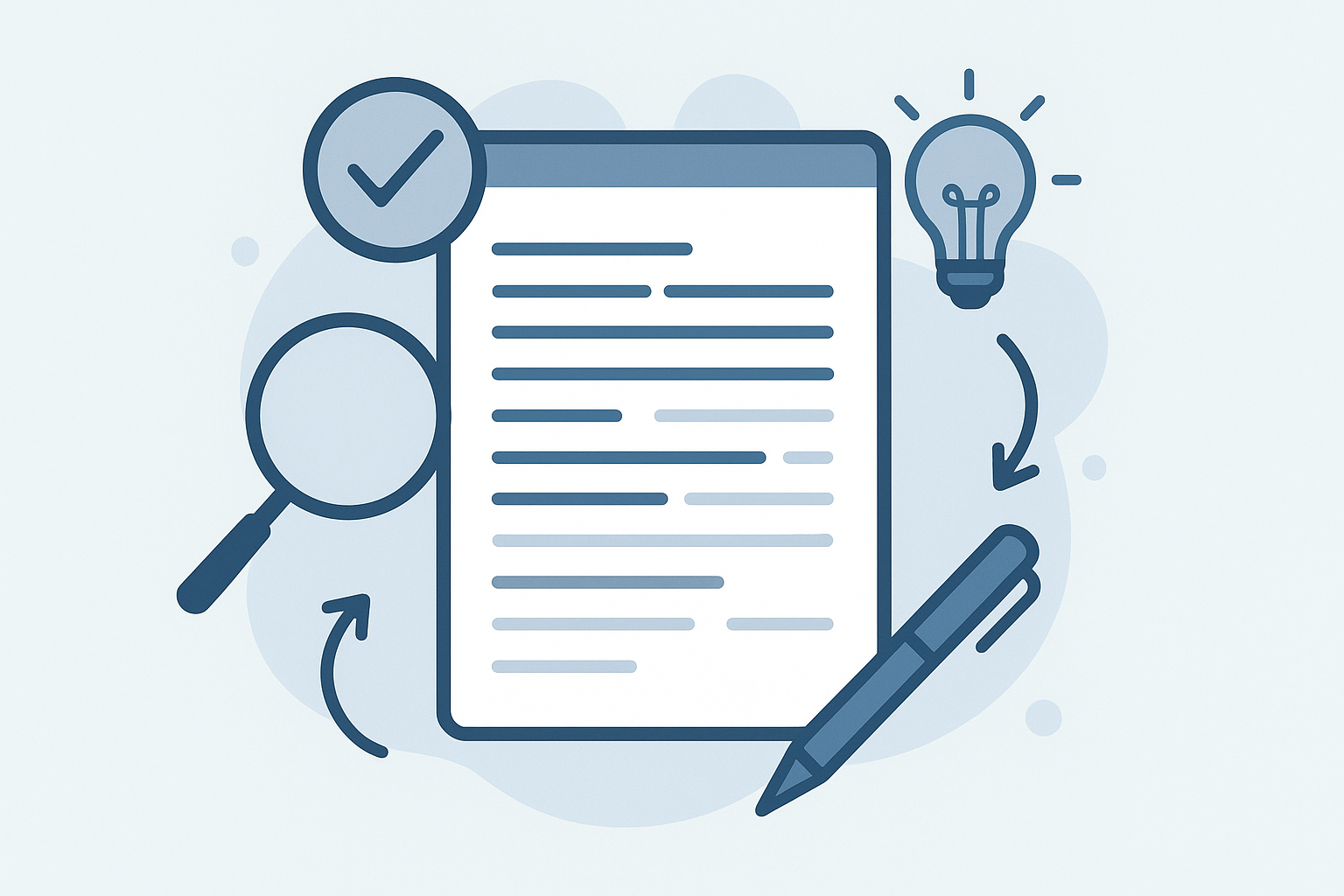 This integrated approach means students can refine both content and correctness in one platform.
For collaborative projects, QuillBot's co-writer feature allows teams to work together on documents, making real-time revisions and suggestions. This promotes peer learning and helps students develop collaborative writing skills essential for future academic and professional success.
English language learners benefit immensely from QuillBot's ability to simplify complex text. By using the "simple" mode, students can transform challenging academic language into more accessible phrasing without losing key information. This scaffolds comprehension and builds confidence in engaging with advanced materials.
Educational technology experts note that QuillBot works best when used as a learning tool rather than a shortcut. Teachers who integrate QuillBot into writing instruction find that students develop a better understanding of sentence construction and vocabulary usage over time. The tool becomes a stepping stone to more independent writing rather than a crutch.
PDF AI: Interactive Document Analysis for Deeper Understanding
PDF AI represents a significant advancement in how educational materials are processed and understood. As one of the top 10 AI tools for education gaining traction in classrooms, it transforms static PDF documents into interactive learning experiences.
The core functionality of PDF AI allows teachers and students to engage with PDF content through a conversational interface. Rather than passively reading, users can interact with documents by asking questions and receiving instant responses based on the text. This creates a dynamic reading experience that promotes active engagement with academic materials.
For teachers juggling multiple research papers, textbooks, and curriculum documents, PDF AI offers an efficient way to extract essential information. They can quickly summarize dense academic papers, identify the key concepts in textbook chapters, or simplify complex policy documents. This time-saving capability allows educators to stay current with research and curriculum developments without spending hours reading every word.
Students benefit tremendously from PDF AI's ability to make difficult texts more accessible. When struggling with challenging reading assignments, they can ask the AI to explain confusing passages, define specialized terminology, or provide background information relevant to understanding the content. This just-in-time support prevents comprehension breakdown and builds confidence with advanced materials.
The question-answering feature transforms how students interact with reading materials. Instead of highlighting and note-taking as their only active reading strategies, students can pose questions directly to the text:
- "What evidence supports the author's main argument?"
- "How does this information connect to what we learned last week?"
- "Can you explain this statistical analysis in simpler terms?"
- "What are the implications of this research for current practice?"
This questioning process not only helps students better understand the immediate content but also models critical thinking strategies they can internalize for future reading tasks.
For research projects, PDF AI helps students efficiently process large volumes of information. They can upload relevant research papers and quickly determine which sources are most valuable for their specific topics. The summarization feature helps them grasp the essential points of each source, while specific questioning allows them to dig deeper into areas of particular relevance.
Teachers of students with reading disabilities find PDF AI particularly valuable. The tool can provide simplified explanations of complex concepts, breaking down barriers to accessing grade-level content. This supports inclusive education practices by making curriculum materials more accessible to diverse learners.
The free plan, which allows 500 monthly questions and one PDF upload up to 10 MB, provides sufficient access for individual student projects or teacher planning. For more extensive classroom implementation, educational institutions can upgrade to premium plans with expanded capabilities.
Privacy and security considerations are paramount when implementing PDF AI in educational settings. Documents uploaded to the platform should not contain sensitive student information, and teachers should model responsible use by discussing digital privacy concepts with their classes.
Educational technology researchers have found that PDF AI is most effective when integrated into a comprehensive reading strategy framework. Rather than replacing traditional reading instruction, it augments existing approaches by providing another layer of support for text comprehension.
As students advance, PDF AI can help them develop more sophisticated research skills. The tool can identify connections between different documents, trace the development of ideas across multiple sources, and highlight contradictions or gaps in the literature. This prepares students for college-level research and scholarly analysis.
Notebook LM: AI-Powered Content Organization for Seamless Learning
Completing our exploration of the top 10 AI tools for education is Notebook LM, a revolutionary platform that addresses one of the most persistent challenges in digital learning: organizing and making sense of vast amounts of information. This tool brings the power of language models to note-taking and knowledge management.
Notebook LM automatically sorts notes, research papers, and educational materials, creating an organized knowledge base for both teachers and students. The intelligent categorization system analyzes content and arranges it into logical structures, eliminating the chaos of scattered digital files. Teachers can maintain organized collections of lesson resources, while students can keep course materials neatly arranged by subject, unit, and topic.
The integration of AI-generated content sets Notebook LM apart from traditional note-taking applications. When a student or teacher adds notes on a particular topic, the system can automatically supplement these with relevant background information, explanations of key concepts, or connections to related topics. This creates a richer learning resource that evolves over time.
What makes Notebook LM particularly valuable in educational settings is its adaptability to individual learning styles and paces. The system observes how users interact with their notes and gradually customizes the organization and presentation of information to match their preferences. Visual learners might see more diagrams and spatial arrangements, while text-oriented users receive more structured outlines and summaries.
Collaboration features enable group learning and teaching teams to work together seamlessly. Students can collaborate on research projects, with the AI helping to integrate contributions from multiple team members into a coherent whole. Teaching departments can build shared knowledge bases that grow more valuable over time as they add resources and insights.
The advanced search capabilities go far beyond keyword matching. Users can ask natural language questions about their content and receive intelligent responses drawn from across their notes. A student might ask, "How does the water cycle relate to climate change?" and receive a synthesized answer based on notes from both science and geography classes.
For educators, Notebook LM streamlines lesson preparation by automatically suggesting relevant content from their existing notes when they begin planning new units. It can highlight connections between current topics and previously taught material, helping teachers build on prior knowledge and reinforce key concepts.
The platform's integration with other educational tools creates a unified digital ecosystem. It can pull information from learning management systems, digital textbooks, and online resources, centralizing everything students and teachers need in one accessible location. This eliminates the frustration of switching between multiple applications and trying to maintain coherence across different platforms.
In supporting research projects, Notebook LM helps students organize their findings, track sources, and develop coherent arguments. The AI can identify patterns and connections across research materials that might not be immediately obvious, prompting deeper analysis and more sophisticated conclusions.
Teachers who have implemented Notebook LM report that it significantly reduces the administrative burden of organizing course materials, allowing them to focus more energy on instruction and student support. Students note that having an intelligently organized collection of course materials helps them study more effectively and make connections across different subjects.
As with any AI tool, educators should guide students in using Notebook LM effectively. The goal is not to replace active learning but to enhance it by removing organizational obstacles and facilitating deeper engagement with content.
Education technology specialists recommend introducing Notebook LM gradually, starting with simple note organization before moving to more advanced features like AI-generated content and cross-referencing. This allows users to develop a solid understanding of the tool's capabilities while maintaining ownership of their learning process.
The future of education increasingly involves tools that not only present information but help learners organize, process, and connect it meaningfully. Notebook LM exemplifies this trend, offering an intelligent partner in the learning journey for both students and educators.
AI Solutions for Personalized Learning and Enhanced Accessibility
Education is undergoing a profound transformation thanks to artificial intelligence. Among the top 10 AI tools for education, those focused on personalized learning and accessibility stand out for their ability to make education more inclusive and tailored to individual needs. These innovative solutions are breaking down barriers and creating opportunities for all students to thrive, regardless of their learning differences or physical limitations.
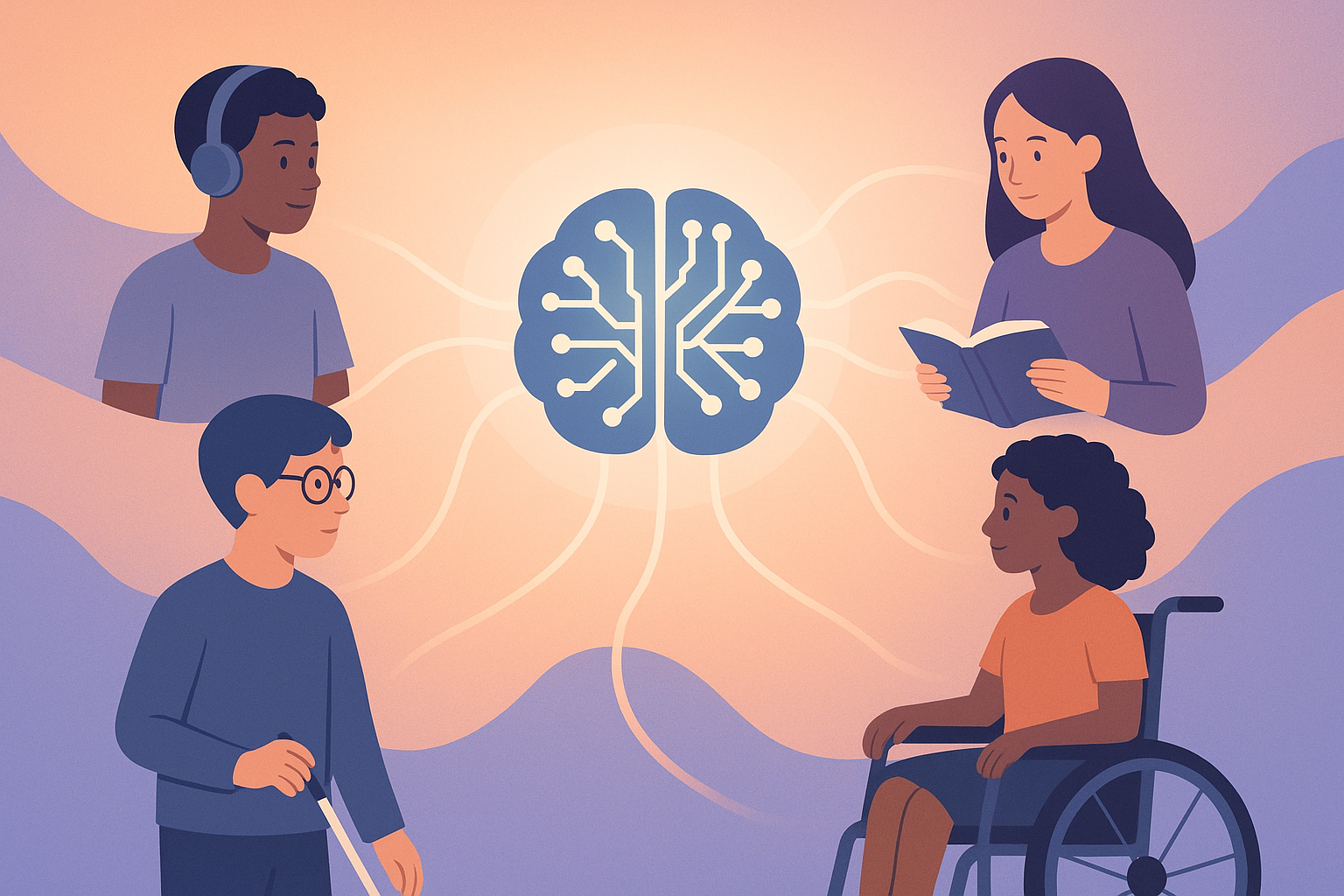
Speechify: Text-to-Audio for Accessible Learning
Speechify has emerged as a game-changer in educational accessibility, particularly for students who struggle with traditional reading methods. This powerful text-to-speech tool transforms written content into high-quality, natural-sounding audio, opening doors for students with dyslexia, visual impairments, or those who simply process information better through listening.
The application's functionality is remarkably straightforward yet transformative. Educators can upload virtually any text-based learning material—from textbook chapters and research papers to homework assignments and handouts—and Speechify converts them into clear, engaging audio files that students can listen to anywhere, anytime.
What sets Speechify apart from basic text-to-speech tools is its sophisticated features designed specifically with education in mind. When teachers generate audio from course materials, the resulting files maintain the structure of the original document, complete with navigable tables of contents that allow students to jump directly to relevant sections. Even footnotes and citations are preserved, ensuring that academic integrity remains intact throughout the listening experience.
The customization options further enhance its educational value. Students can select from a variety of natural-sounding voices, including those with different accents and speaking styles, making it easier to find an audio experience that resonates with them personally. Speed controls allow listeners to adjust playback rates from a slower pace for complex material to accelerated rates for review, accommodating different learning preferences and time constraints.
For classroom implementation, Speechify offers significant benefits beyond individual accommodation. Teachers report that providing audio versions of reading materials benefits the entire class, including English language learners who gain exposure to proper pronunciation and students with attention difficulties who can more easily maintain focus when engaging with content through multiple sensory channels.
The tool also helps schools meet their legal obligations under accessibility laws while promoting an inclusive learning environment where all students can access the same high-quality educational content. As one special education coordinator notes, "Speechify doesn't just make content accessible—it makes it enjoyable. Students who previously dreaded reading assignments now look forward to engaging with the material."
Many educators integrate Speechify into differentiated instruction strategies, providing options for students to consume information in ways that work best for their individual learning styles. This approach aligns with Universal Design for Learning principles, which emphasize providing multiple means of engagement, representation, and action/expression.
Learn more about implementing Speechify in your classroom
Wolfram Alpha: Problem-Solving AI for STEM Subjects
When it comes to mastering complex STEM subjects, Wolfram Alpha stands as an intellectual powerhouse among the top 10 AI tools for education. Unlike traditional search engines that merely point to information, Wolfram Alpha actively computes answers and provides dynamic, interactive learning experiences that transform how students engage with mathematical and scientific concepts.
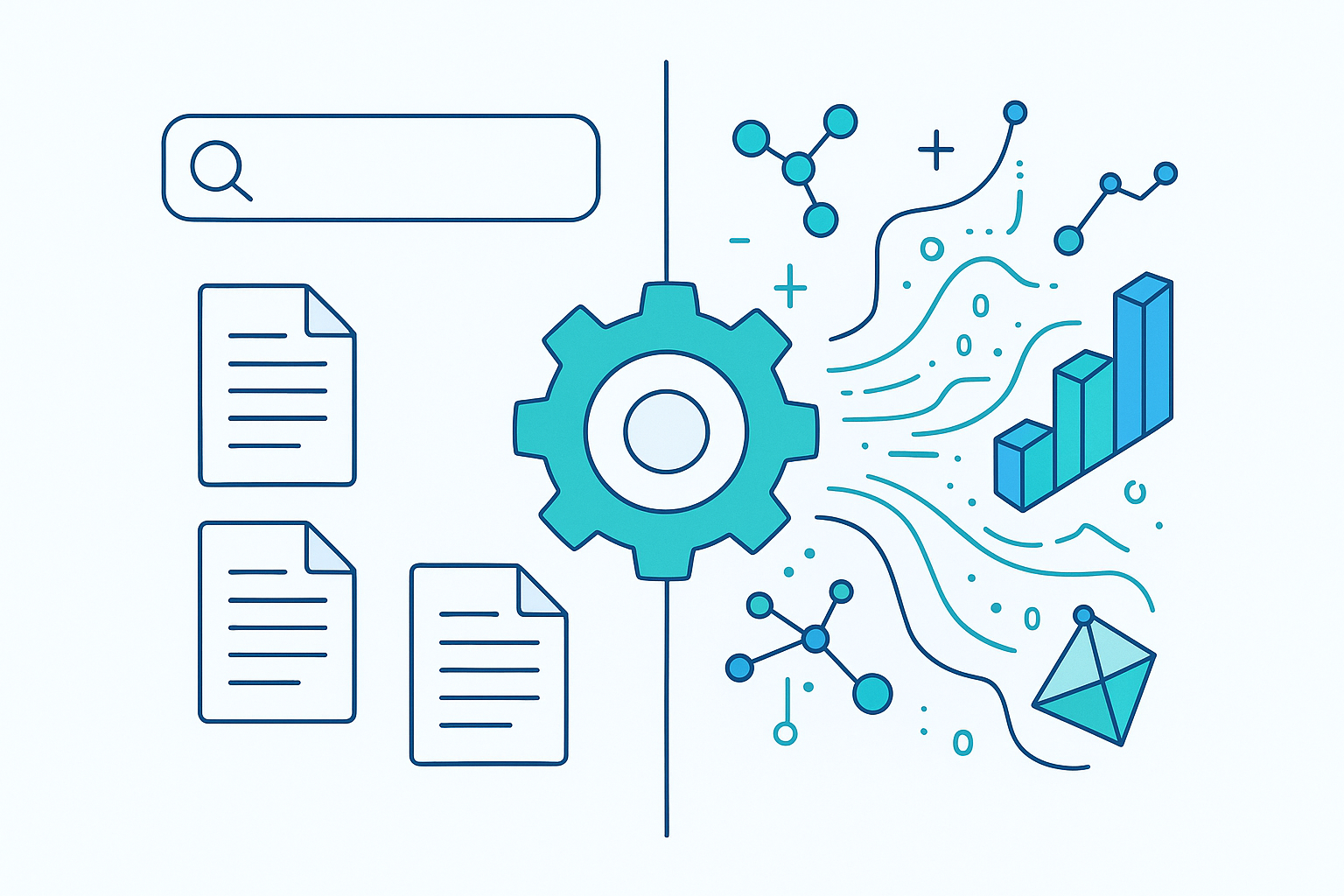
At its core, Wolfram Alpha functions as a computational knowledge engine, drawing from a vast repository of curated data and sophisticated algorithms to tackle problems across mathematics, physics, chemistry, engineering, and numerous other technical disciplines. For students facing challenging calculus problems or complex chemical equations, Wolfram Alpha doesn't just deliver answers—it illuminates the path to understanding.
The educational value lies in its step-by-step solution feature, which methodically breaks down complex problems into manageable segments. A student struggling with integration in calculus, for instance, can enter the problem and watch as Wolfram Alpha demonstrates each transformation and calculation required to reach the solution. This transparency in problem-solving methodology helps students develop their own analytical skills rather than simply providing answers to copy.
Science educators particularly value Wolfram Alpha's ability to visualize abstract concepts. When teaching orbital mechanics or electromagnetic fields, teachers can use the platform to generate interactive models that make invisible forces tangible. Students can manipulate variables in real-time to observe how changing conditions affect outcomes, creating an experiential learning environment that bridges theory and practical application.
The tool's knowledge base extends well beyond theoretical mathematics and science to include real-world data analysis. Geography classes can access up-to-date demographic information, economics students can analyze current market trends, and environmental science courses can examine climate data—all within the same platform. This integration of current, real-world information helps contextualize learning and demonstrates the practical applications of STEM knowledge.
For advanced students, Wolfram Alpha serves as a powerful research assistant. The ability to quickly verify calculations, generate visualizations, and access specialized information accelerates the exploration of complex topics. Many educators report that access to this tool encourages students to pose more ambitious questions and tackle more challenging problems, knowing they have a reliable computational ally.
Teachers also appreciate Wolfram Alpha's utility in creating authentic assessment experiences. Rather than constructing artificial problems with convenient solutions, educators can present students with messy, real-world scenarios that require the application of multiple concepts. With Wolfram Alpha available as a resource, assessment can focus on problem formulation, interpretation, and critical thinking rather than computational accuracy alone.
The platform continues to evolve, with recent enhancements incorporating machine learning capabilities that adapt to student interaction patterns and provide increasingly personalized computational support. This development positions Wolfram Alpha at the intersection of computational power and adaptive learning—a combination that promises to further transform STEM education.
Discover how to integrate Wolfram Alpha into your STEM curriculum
Otter.ai: Converting Audio to Editable Written Notes
In today's diverse learning environments, capturing and preserving verbal instruction is increasingly essential. Otter.ai has revolutionized this aspect of education by offering sophisticated speech-to-text technology that transforms spoken words into searchable, editable text in real-time. This capability addresses multiple educational challenges simultaneously, making it a standout among the top 10 AI tools for education.
For students with auditory processing difficulties or those who simply learn better through reading, Otter.ai creates an alternative pathway to information typically delivered through lectures or discussions. By automatically generating accurate transcripts of classroom proceedings, the tool ensures that no student misses critical information due to momentary lapses in attention, note-taking limitations, or processing differences.
The implementation process is remarkably straightforward. Teachers can record live classroom sessions directly through the Otter app on their mobile devices or computers. The AI immediately begins transcribing the audio, distinguishing between different speakers through voice recognition patterns—a feature particularly valuable during class discussions or panel presentations where multiple voices contribute to the learning experience.
What makes Otter especially powerful for educational settings is its accuracy with academic terminology. The system continuously improves its recognition of specialized vocabulary through machine learning, adapting to the specific language patterns common in educational environments. Teachers in specialized fields report that Otter quickly becomes adept at correctly transcribing subject-specific terminology after minimal exposure.
Beyond basic transcription, Otter offers robust organizational features that enhance its educational utility. The platform automatically generates keyword summaries that highlight main topics covered in a recording, helping students quickly locate relevant sections when reviewing material. The search function allows users to instantly find every mention of a specific term or concept across multiple recordings, creating connections between ideas discussed at different times.
The collaborative aspects of Otter further enhance its classroom value. Teachers can share transcripts with students, enabling collaborative note-taking where students add comments, highlight key points, or ask questions directly within the transcript. This feature transforms passive recordings into interactive learning documents that continue to evolve after the initial class session concludes.
For group projects and peer learning activities, Otter serves as an impartial recorder of brainstorming sessions and discussions. Students can focus fully on participating in the conversation rather than dividing their attention between engagement and documentation. The resulting transcript provides a comprehensive record that captures not just final decisions but the thinking process that led to them—valuable information often lost in traditional note-taking.
Educators working with English language learners have found particular value in Otter's capabilities. Students can review transcripts alongside audio recordings, strengthening the connection between spoken and written language. Many teachers report that this dual-mode exposure accelerates language acquisition and builds confidence in classroom participation.
The platform also supports educational accessibility by providing text alternatives to audio content. Students with hearing impairments gain full access to lecture content, while those who process written information more effectively than auditory input can engage with material in their preferred format. This flexibility exemplifies universal design principles that benefit all learners.
Privacy considerations are addressed through Otter's configurable settings, allowing educators to control who can access transcripts and recordings. This feature is particularly important in educational settings where student privacy and intellectual property considerations must be carefully managed.
Recent enhancements to the platform include improved integration with video conferencing tools and learning management systems, making Otter an increasingly seamless component of hybrid and online learning environments. As educational models continue to evolve, Otter's ability to bridge spoken and written communication channels positions it as an essential tool for inclusive, flexible instruction.
Explore innovative ways to use Otter.ai in your teaching practice
The integration of AI solutions for personalized learning and enhanced accessibility represents a significant step forward in creating truly inclusive educational environments. These tools don't merely accommodate differences—they celebrate them by providing multiple pathways to knowledge acquisition and demonstration. As educational institutions continue to embrace these technologies, the vision of personalized education for every student comes increasingly within reach.
By removing barriers to learning content, providing alternative approaches to complex problem-solving, and ensuring that verbal instruction is preserved in accessible formats, these AI tools are equalizing educational opportunities while simultaneously enhancing the learning experience for all students. Their continued development and implementation promise to further transform education into a more adaptive, responsive system that recognizes and supports the unique potential of every learner.


Comments (0)